Walk at Sunset

I decided to visit the East Bay Bike path today after work. I was hoping it was still snow covered; I had both my skis and the snow shoes my friend Rich gave me in the car. The plan was to park at Riverside Square and go far enough to see Pomham Rocks Lighthouse.

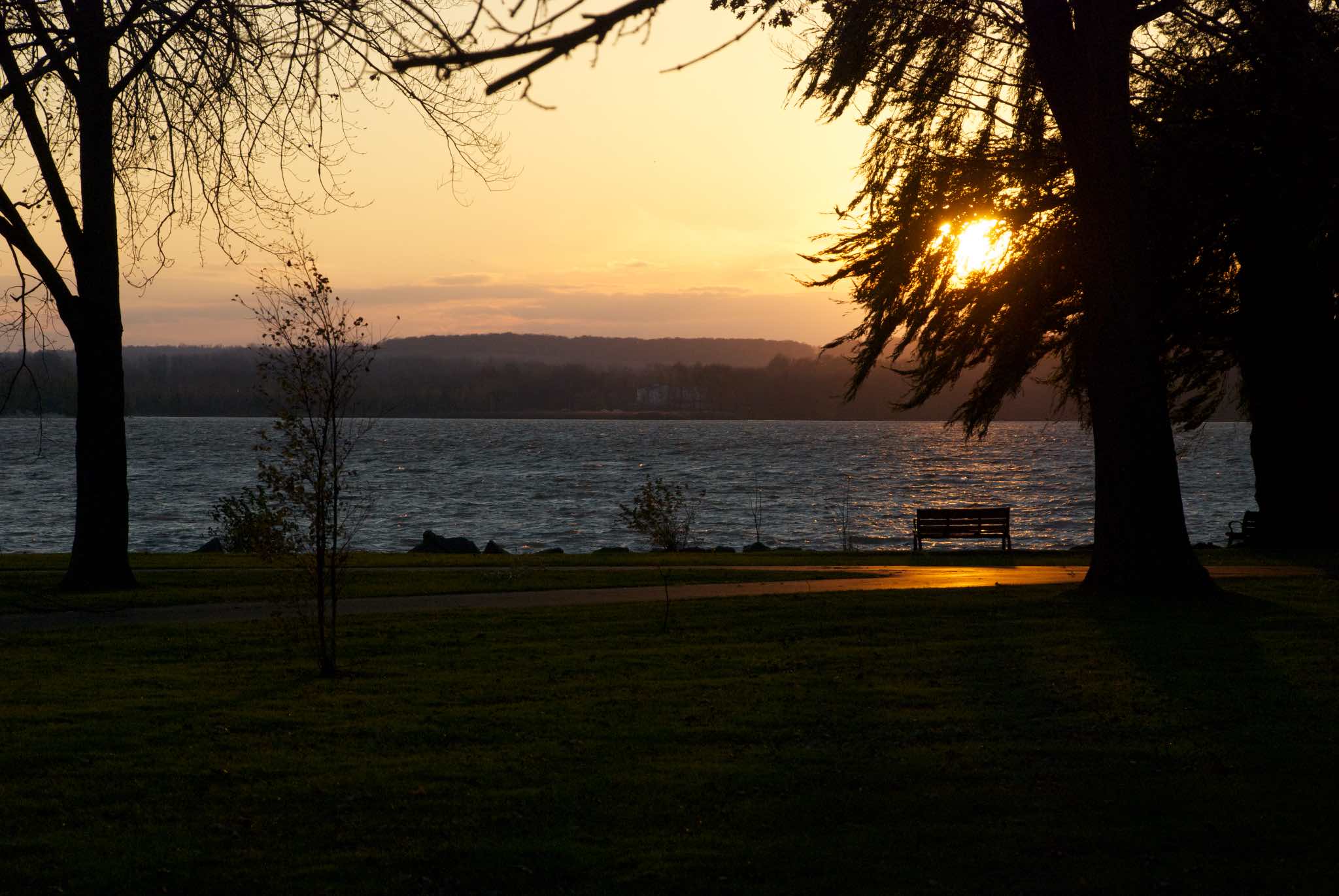
By the time I got there, the sun had just slipped under the horizon, but the sky was still bright. The path was mostly snow free, so I just walked. It was intensely cold, but also incredibly peaceful– just the water gently lapping at the shore, and geese honking overhead.

Sunset from the East Bay Bike Path, featuring the Pomham Rocks Lighthouse

Sunset at Pomham Rocks

Slide Scanning Update

I was just re-reading my post on my slide scanning workflow, and thought I’d post an update. I’m just about to finish my second carousel, and I’ve made a change that has sped things up a bit.

First of all, I’d like to mention that VueScan no longer requires the the slides to be set to “Mirror”. There was a update a couple of months ago that took care of this issue.

Second, I’ve found a better way to use the “Dust and Scratches” (DS) layer that I generate using the old Polaroid Dust and Scratches plugin. I would imagine this technique would also work with the default Dust and scratches plugin too. To recap, I found that the Polaroid dust and scratches plugin did a very good job of getting rid of dust spots, and to a lesser extent, fungus, but it also left artifacts, and removed detail.

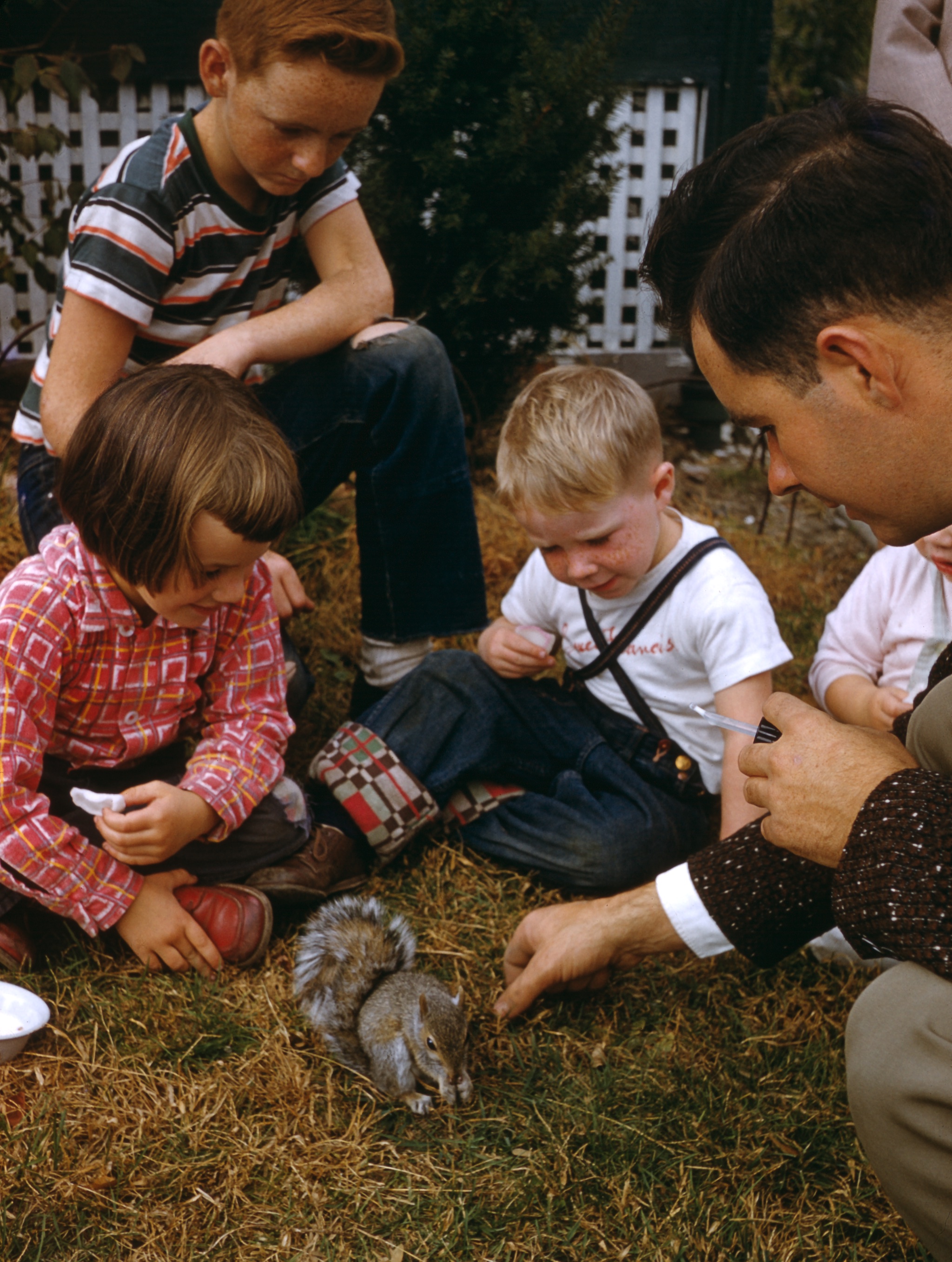
Kids watching my uncle feed a squirrel

Cousin Susan, Uncle Tom, and neighbor watch my Uncle Dick feed a squirrel. Circa 1955

Previously, I was running the filter on a copy of the file, and then adding the result as a layer, and erasing the layer where it was causing problems. This created a lot of work, because I had to carefully inspect the whole image in order to erase the layer where it was causing problems.

Eventually, I realized it would be better to reverse things. Now, I add the layer, and immediately add a layer mask to it in Photoshop, making the layer completely transparent. Layer masks allow you to make make parts of layer transparent or translucent. When the mask is black, the layer is transparent. Where the mask is white, the layer is opaque. Gray generates a semi-transparent area. Once the mask is created, you can paint on it with the brush or any of the other tools, allowing very good control of what parts of a layer are visible. It’s a great tool for creating collages.

So I start off with a completely transparent DS layer, and then use the graphics tablet and brush tool to unmask the layer over dust spots. Generally speaking, for spots and fungus tendrils, it’s faster than using the Spot Healing Brush, and working this way allows me to avoid applying the layer to areas with a lot of detail. For hairs, scratches, and areas of detail, I find the Spot Healing Brush works better—it’s more complete, and it’s less likely to add artifacts or remove detail.

I’ve found this speeds things up quite a bit, since I can keep the brush away from edges and detail, only applying the layer where it’s needed. This means I don’t have to keep checking the DS layer to make sure it isn’t obscuring detail. It’s also usually faster than the Sport Healing Brush — my aim doesn’t need to be as accurate, and I don’t have to fuss with it as much. Using this technique (plus the fact that the current batch of slides hasn’t been as dirty as the first batch) meant that I was able to get many more slides scanned for my aunt than I anticipated in time for Christmas.

Happy 2014

Happy New Year 2014! I tend to agree with what Rich Siegel said on Twitter last night,”Oh, and a final thought to 2013: DONT LET THE DOOR HIT YER ASS ON THE WAY OUT.”

I went to First Night last night, and had a grand time, despite the cold. Dressing for it helped. I saw the procession from around Arlington St. It started off with a big truck carrying Mayor Menino and his party, blowing confetti all over the place:

Confetti truck at the First Night Grand Procession

Confetti truck at the First Night Grand Procession

After the procession passed, I walked up to the Public Garden (re-experiencing the tail end of the procession) to watch the fireworks. They were great.

Fireworks

Fireworks over the Common

After the fireworks, I headed up through the  Common to look at the LED sculpture there; there was also a single, small ice sculpture. I miss having the big sculptures at the Common. From there, I headed down to the Old South Church to see the concert put on by the Old South Brass, Organ & Percussion. They were magnificent. The church boasts an incredible organ with about 8,600 pipes located to the front and rear of the church. When the bass pipes play, the floor shakes, and that’s what it did, as they started the program with the Fanfare to Also Sprach Zarathustra, more commonly known as the theme to 2001, A Space Odyssey. Then, when the brass and kettle drums came in—it was awesome.

After the program, I walked down to the Hynes to see a stand up comedian from Laugh Boston. I wish I could remember his name; he was good. A hall in the Hynes is not the best place to see comedy, but he made the most of it. First Boston had provided a sign language interpreter for him; it was interesting to see him play off her. I wish I could understand what she was ‘saying’.

While at the Hynes I saw a big computerized LED wall. It was kind of mesmerizing.

LED wall

LED wall

I then walked back to Copley Square; there was only one ice sculpture there, called “Peaceable Kingdom”, about the lion laying down with the lamb.
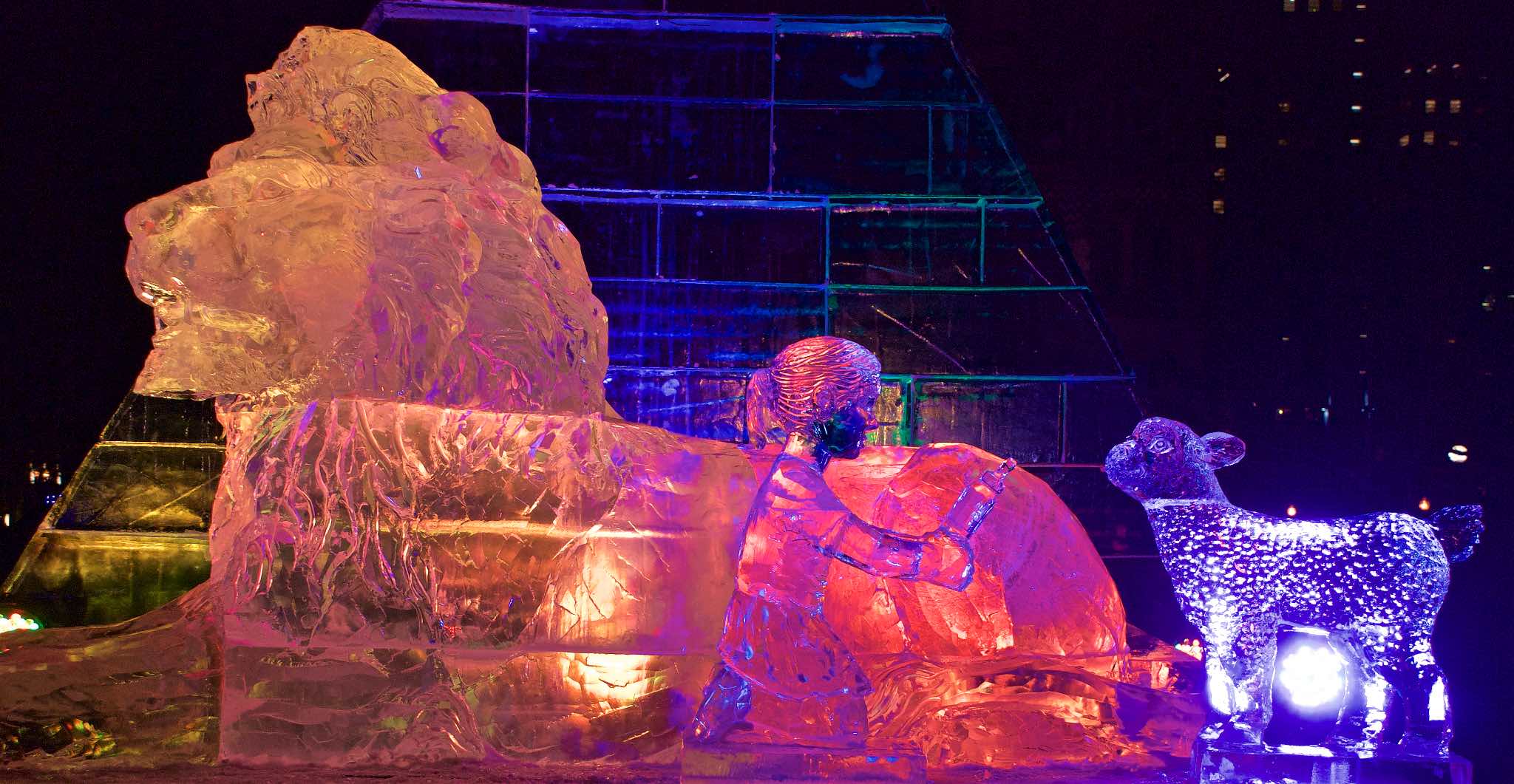
Peaceable Kingdom-- ice sculpture of the lion laying down with a child and lamb

Peaceable Kingdom

At that point, I didn’t feel like heading over to Fanuil Hall or the harbor, so I called it a night and headed home. On the way back from Riverside, I swung by the Weston Ski Track to take a look at the snowmaking.

All things considered, it was a good night. I wish the organizers would schedule around the early fireworks a little better; it’s hard to get from the Common to the Hynes to make a 7:30 program, which is partly why I chose the 8 PM program at Old South Church. I was using the First Night app as a guide; it was good for figuring out the schedule and location of the individual programs, but not good at describing or locating the “overall” features like where to find the ice sculptures or what time the fireworks would take place, what would be the route of the procession, or content that would be available all day.

Here’s to a bright shiny new 2014.

Discoveries in the Details

The most boring, mind-numbing, tedious part of the slide scanning I’ve been doing has to be dealing with the dirt on the scans. Although I did have one slide this week that only took about 5 minutes of work from start to finish, some of them entail hours of work zoomed in close, retouching the scan spot by spot.

And yet… it also means I’m looking at these pictures more closely than I’ve ever looked at them before. And I’m noticing details in them that I never noticed before:

  • In the self portrait of Dad that I posted last week, I noticed he had a pipe in his hand. He almost never smoked a pipe when I knew him; it was always a cigar.
  • There’s a picture of my mother looking at a kiddie train ride somewhere; we’ve never been able figure out where. She doesn’t remember. But you can see a bus in the background, and after lightening up the picture in Photoshop, it looks like it’s in MTA* livery. So it’s probably in the Boston area.
  • There’s a picture of the two of them sitting on a picnic table, which I’d assumed was taken down the Cape. But when I was zoomed in close, I noticed Dad had the same kind of tag on him that was in another picture of my mother, grandmother and great aunt that was taken at Old Sturbridge Village.
  • One of the pictures I worked on in June was a picture of my brother Brian. It’s a long shot of him on a pony, and I’d never looked very closely at the face before. And while their faces are dissimilar, the expression on his face is exactly the same as one I’ve seen on his son Matt’s face dozens of times.
  • In the picture I finished last night, I’m holding Dad’s folding medium format rangefinder camera while he was obviously shooting the slide in 35mm. I don’t remember seeing the medium format pictures–are they prints filed away in albums, or are they the medium format slides I haven’t seen in decades?

I remember Dad’s cameras very well. At the time the picture was taken, I was 14, and I think I was just holding the camera for him–it’s not in the other pictures of me. But eventually he did let me use them, and I used them off and on through the latter years of  high school and college. Both were rangefinders; you focused the camera by superimposing two images in the viewfinder. Neither camera had a light meter or auto exposure; you used the exposure recommendations packaged with the film, and hoped you set the camera right; the batch of slides I’m working on now are almost all a couple of stops overexposed, which I’ve been trying to correct (to some extent) in Photoshop. I tended to favor the 35mm camera because I had a darkroom and was set up for 35mm.

But my photography took a quantum leap upward when I got my first SLR as a college graduation present, about a year after he died. No more guessing at the exposure, just watch the needle. Composition is easier when you can see exactly what the lens sees. And interchangeable lenses! I almost never use the “normal” focal range anymore, but thats what the rangefinder gave you. As good a photographer as Dad was, he was limited by the tools he was using. I wish he’d lived long enough to use my cameras with me.

* Metropolitan Transit Authority: the 1947 – 1964 predecessor to the Massachusetts Bay Transportation Authority (MBTA), also known as the “T”. Boston’s transit agency. 

Slide Scanning Work Flow

I mentioned in my previous post that I’m scanning my father’s old slides. The slides are almost all Kodachromes, spanning the period from the mid 1950s to the 1970s. The eventual goal is to have a set of scans that I can disseminate to family members at a reasonable resolution, without, hopefully, it becoming my life’s work. The slides are in a variety of states: some are well exposed, well processed, and have no color casts, some are underexposed, a set are overexposed, and some have visible color casts. All of them, I’ve found, are filthy, and many are covered with fungus.  What I didn’t realize was that I’d signed up for a restoration project.

Continue reading

Scanning Slides With the Plustek OpticFilm 8200

My Dad was a great photographer. With his 35mm Kodak Signet, and Zeiss Ikon folding medium format rangefinder, he shot a ton of slides that he would bring out from time to time for a “movie” show. Somehow, when he died, I became the custodian of his pictures. When I picked up a Carousel projector for my own slides, I organized his slides into a couple of standing carousel shows.

Every now and then, some family member has asked about getting copies or scans of the slides. Every now and then, I’d think about transferring them to digital, look into the matter, and come away with these options, all of them bad:

  • Have them scanned locally by a camera store, at about a $1 a slide. I did this for a couple of my own slides for a funeral; the quality was atrocious. The scans were blurry, the contrast was muddy, and the color was shitty. There is no way I was going to let them do more.
  • Send them out to a digitizing service. Aside from the inherent risk of sending them out at all, I’ve read that the lower priced services actually send the slides overseas, where labor costs are lower. No way. There are services that do the work domestically, but they’re higher priced—on the order of $3-6 apiece. I may still explore this option for his medium format slides.
  • Get a scanner, and scan them myself. This would entail the cost of the scanner, plus my own time scanning and post processing the slides. For the longest time, the only scanner I could find that looked like it had quality I could live with was the Nikon CoolScan series. The only problem was that they were $2000 – $5000 — and no longer available. Every now and then I would desultorily look at eBay to see if they had one I could afford at the moment, and come away empty handed.
  • Get a cheap scanner. My mother actually got one for me for Christmas, but it turned out to be Windows only. I tend to doubt I would have been happy with the quality.

Finally, about a year ago, I started reading about the Plustek OpticFilm series of scanners. I saw some sample images, and they looked good. I checked the reviews, and they were mostly good, with the caveat that there was a learning curve involved, so last March, I bit the bullet, and bought one. Continue reading