You Can Learn To Write

An acquaintance emailed me a little while ago to tell me that she was following the blog off and on, and had been touched by my piece about my father, and ended with “You’re a good writer.” This would have been a shock to my teenaged self — I hated to write, and didn’t think spelling, grammar, and the mechanics should count towards my grade. Somewhere entombed in the floorboards of my room is still a report from my sophomore year in high school that I hid because I got a D on it.

I recognized that I needed to work on my writing skills, so in my junior year, I deliberately took an English elective called Research Reports, knowing that I would hate it, knowing that I would be putting myself under deadline pressure, but also knowing it was something I needed to do. From that course, I learned how to structure a report, how to write an outline, and the art of footnoting and citing sources. I got better.

I still wasn’t as good as I could be. I had a wonderful English professor at Boston College, Margaret Ferrari. She based her grades on a set of short papers of about 1000 words each. My first couple of papers weren’t great, but she worked with me during her office hours. She taught me that a report wasn’t a random collection of facts; you needed to have a point to what you were writing about, and needed to marshall your facts to support the point you were trying to make, or the story you’re trying to tell. She taught me to listen to my inner ear, and pay attention to the sound and rhythm of the words I was choosing. By the end of my two semesters with her, I was generally getting very good marks for my writing.

I don’t believe that you have to have an inborn talent to write. It’s something you can learn. I’m still learning.

There are a number of skills that go into learning to write well. The most basic ones are the mechanics — spelling, grammar, and usage. For example, when to use “there” and when to use “they’re”. The good thing is that it’s all mechanical, and once you learn the rules, you have them, and you don’t have to worry about them anymore.

At a somewhat higher level is learning to express yourself, and organize your thoughts. What’s the best way to say what you want to say? What facts do you need to cover to make the point you’re trying to make? Why is this fact important? What needs explanation? What’s doesn’t fit in and should be cut? Here’s where an outline can help.

Personally, I still have a tendency to ramble. Writing this blog, I’m learning to drop little asides that I might find interesting or amusing, but would bore the reader or don’t fit in with the rest of the post.

As you get more practice, you start to develop your voice. You learn to pay attention to the sound and rhythm of the words so they flow together. For example, in the second paragraph of this post, I repeated the word “knowing” three times, on purpose, setting up the contrast between the first two (unpleasant) things, and the third instance, “knowing it was something I needed to do”. And you learn to edit yourself, to learn to ask yourself what works, and how to fix what doesn’t work. This post went through twelve revisions before I published it (and one after).

It helps to be a “natural”, but it’s not necessary. I’m not, but I learned. You can too.
Retina Headers

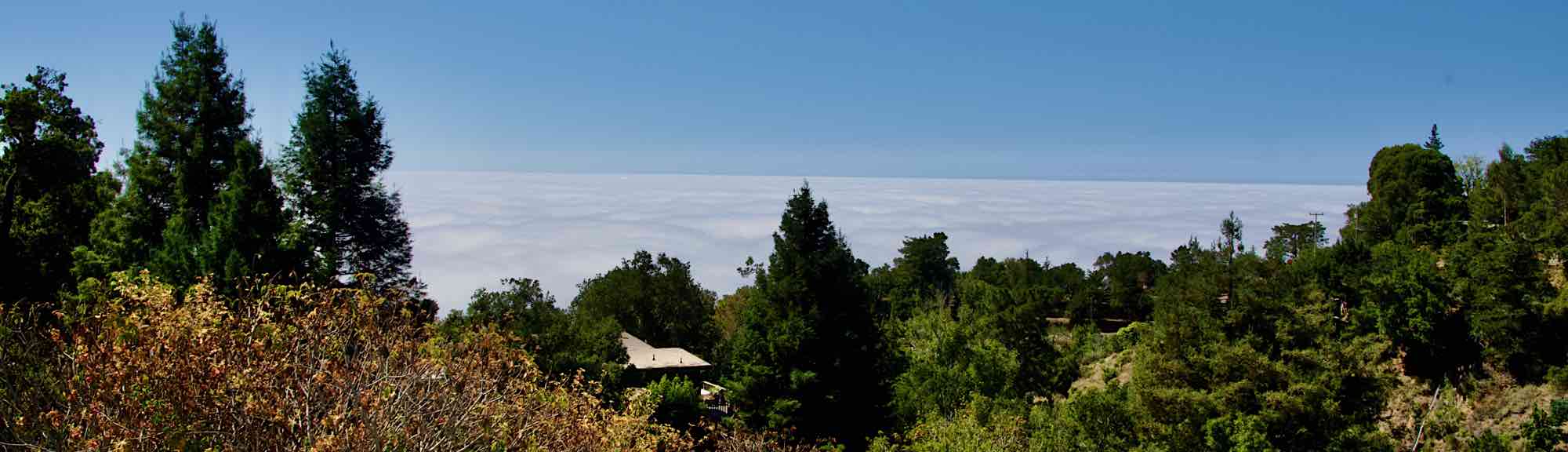
I’ve just gone through the site and updated the header images to display in retina quality. I’ve updated all of the rotating header images, and I think I got most of the post feature images as well. (“Retina” is Apple’s term for a display with resolution so high that you can’t resolve the individual pixels at normal viewing distances). If you’re looking at the site with a normal 96 DPI screen, you won’t see any difference, but if you have a high resolution screen you’re in for a treat.

I hadn’t intended to embark on this project right now, but last night I decided to update one or two to see how it would look, and damn, was it addictive. A retina screen, like I have on my current laptop, is a wondrous thing for looking at photographs, but the flip side is that pictures saved in standard resolution look distinctly blurry. It was fun updating each image and seeing the details pop out. I was startled by the header for Distant Lightning; at retina resolution the lightning bolt really stands out so much more. I kept on saying to myself, “just one more,” and the next thing I knew it was past midnight.

I’m not sure when or if I’ll update the rest of the pictures. Until I got this computer, I was very careful to upload pictures at display resolution to provide faster uploads, which means there are a lot of images that need updating. But boy, it is tempting.


Beard Update

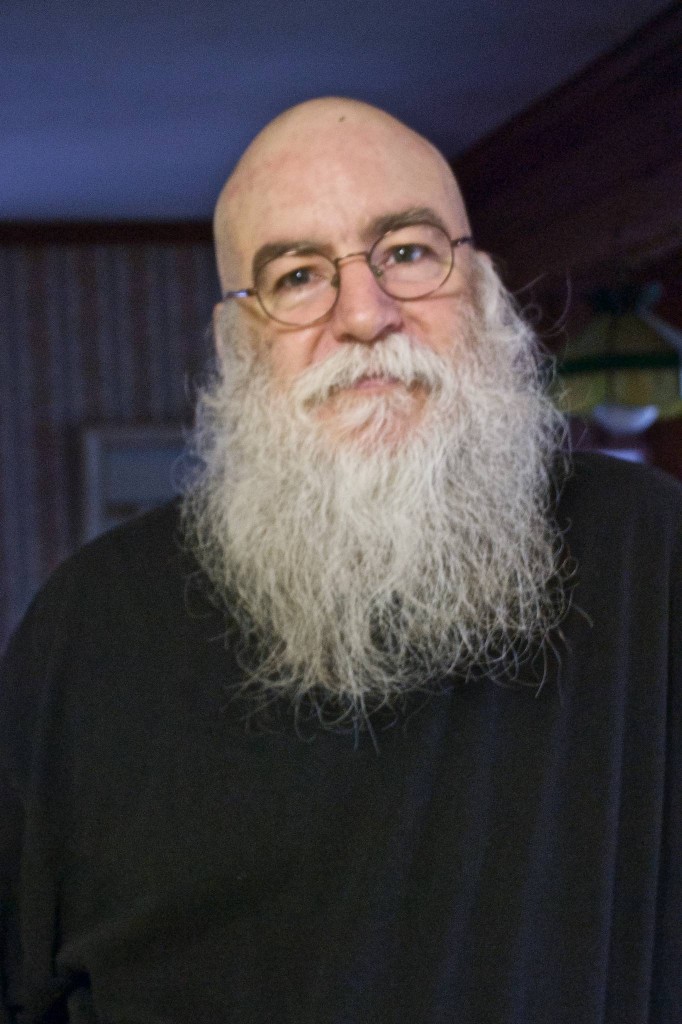
As I mentioned back in May, in Crossing the Santa Threshold, I’m trying to grow out my beard. The goal is a year beard, AKA a “yeard”. As of the beginning of this month, I’m 10 months in:

10 month Beard

10 month Beard, taken with the webcam on my work computer.

It looks like I’m going to make it to the end of the year. Beyond that, I haven’t decided.

The cons:

  • It’s not neat looking.
  • It gets in the way.
  • It’s a pain in the neck wearing a motorcycle helmet; the strap tends to catch on the hairs.
  • It gets in the way when eating.
  • White hairs all over the place.
  • Every now and then, I’ll catch my reflection and think, I look like a bum.

The pros:

  • Kids tend to be on their best behavior around me. I expect this to become more noticeable over the next month.
  • Compliments from strangers. Not too many, but some.
  • Every now and then, I’ll catch my reflection and think, that looks freaking awesome.

I don’t know how it will turn out. I may just decide to even up the ends and keep it long, or go back to a short neat beard.

Watch this space.

The Performance and the Score

This afternoon, I was thinking about something my sister said a couple of years back in connection with last night’s post. She’d been remarking on something my brother Tom had said. It was something to the effect that yes, my pictures were good, but of course, I adjusted them all after the fact. There was the implication that it was sort of cheating.

Poppycock. As Ansel Adams once said, “The negative is the equivalent of the composer’s score, and the print the performance.”  It’s what you do with the negative that counts, and the same goes for the relationship between the camera’s RAW file and the final result. What you shoot in the camera is the starting point. It needn’t be the end point.

Continue reading

Done, by Gum

I’ve finally finished off the first phase of The Great Slide Scanning Project. About a month ago, I finally finished retouching the last of the slides — an old, heavily faded, blotchy, fungus ridden AnscoChrome slide of my cousin Susan riding a bicycle. Since then, I’ve been busily uploading them to a private, sister WordPress site, captioning them, adjusting thumbnail cropping and generally polishing. I’ve just sent a note to my cousins, letting them know about it. It’s done.

It was interesting dealing with a brand new WordPress installation. I ended up using the stock Twenty Twelve theme, mainly because of its dimensions and the way it deals with photo captions — some of the newer themes only showed captions when mousing over the images. I did like the Twenty Fifteen theme, but the attachment page images are bigger in Twenty Twelve. I’m less fond of it’s lack of customization — you can’t edit the stylesheet, and I’m not fond of the rather plain font used for the header. But it’s a site that will probably see a week’s worth of traffic as family members check it out, and then go dormant.

Phase II will be the pictures from my mother’s side of the family. There aren’t nearly as many of them, but there are around 70 old glass mounted slides from the 1940s, taken by my mother’s aunt, including some of my mother as a child. I’m hoping they’ll fit in the scanner. I’m also hoping they won’t need nearly as much retouching.

One slight problem is that I appear to have lost my old PowerMac G4 — it won’t start up, and that’s the machine I used to run the Polaroid dust and scratches filter. If I can’t get it running, I’ll need to find a better dust removal filter.

Foggy Morning Paddle

The one good thing about the rapidly shortening days in September and October is that it you can be up for the sunrise without having to wake up at some ungodly hour, like you do in the summer. With that in mind, this morning I took the kayak out for an early morning trip. I was hoping for either a sunrise or early morning fog; I got fog.

Continue reading

Paddling in Clear Currents

One of the things I miss about not working in Providence anymore is WaterFire, an art installation running down the rivers in the heart of the city. Over 80 braziers installed in the river are filled with firewood, lit, and stoked over the course of the night, accompanied by music playing along the river. WaterFire runs every couple of weekends over the summer, depending on the tides and funding, and is something you shouldn’t miss.

I was looking at their site a couple of weeks ago, and noticed that they were running a Clear Currents event this weekend, which involves illuminated koi fish mounted over canoes and kayaks paddled throughout the installation. I first saw this a couple of years ago, and envied them then. When I saw the announcement now, I was interested, but balked at the price — $50. Then I remembered the times I’ve thrown a $20 bill into the donation bucket at past Waterfires, and signed up.

It was totally worth it. Continue reading

Hard to Believe,
and Not Hard to Believe

It’s hard to believe its been 35 years since the day my Dad died. I remember the summer of 1980 all too well. I remember going to see him at Carney, before his operation, when it was hoped that they would be able to remove the section of his esophagus with the tumor, and I remember coming home from finals to find out that it was inoperable. I didn’t realize then how bad the news was; I foolishly believed the optimistic stories of how effective chemotherapy could be, and wondered why he was getting radiation treatment instead. I didn’t learn until later how intractable esophageal cancer is.

I remember watching him waste away over that summer, in constant pain and fatigue. I remember sitting with my sister in the living room, and hearing him retching in the next room. Should we go try to help? Not much we could do. Would it embarrass him? Probably. We wound up doing nothing.

I remember my uncles and cousin coming to the house to insulate and finish it, and install a wood stove, to make things easier for my mother.

I remember having to explain to my college advisor, after a meeting about not missing any part of student teaching, that my father was very ill, and it was very likely that there would be a problem.

I remember taking the Riverside Line out to the host school the first day of school, and looking up at the distinctive parking garage of the Deaconess Hospital, and thinking that’s where Dad was. And I remember about an hour later, the principal of the school, who surely did not want this job, coming to tell me that my Dad was gone.

I remember the end of that week, after the funeral, walking through the empty house, and feeling how strange it was that he was gone and not coming back, and that this was the new normal.

And yet, it’s not hard at all to believe. Thirty-five years, after all, is a long time, and there’s been a lot of water under the bridge.

His children, who ranged from 21 down to almost 14, are now all grown, and three of them are married. I think he would have liked his sons and daughter in law.

There are now five grandchildren that he never knew, and never got to know him. He’s just a name and a fact and a set of pictures to them, the same way I never knew his father, which is a shame. Dad was great with kids. He would have played with them, and taught them how to do stuff and teased them and explained things to them. He loved having kids around. I remember, still, watching him paint when I was little, and the gentle tone he had as he explained how he created the shading on the sails he was painting.

I think he would have loved to have tagged along on the trip my brothers and my brother’s sons took out to Colorado.

Dad was a great photographer, and in his last couple of years, he was starting to let me use his cameras, and share his interest in photography. I’m not sure he would have gotten into digital photography, but he would have loved SLRs, and being able to compose through the viewfinder and switch lenses and meter automatically. I really wish we could have gone shooting together.

Dad loved the outdoors in general, and the Blue Hills in particular. I remember, about twenty years ago, renting a mountain bike, and riding through the network of paths there, and thinking he would have loved it. I think he would have enjoyed the company of his son-in-law Paul walking through the woods, and perhaps he would have even developed an interest in birding. And often, when I’m kayaking, I think, “Dad would have loved this.”

It’s hard to believe I’m now older than my Dad ever was.

It’s hard to believe my mother has been a widow longer than she’d been a wife.

Dad I am so grateful that we kids, out of ignorance, set up a twentieth anniversary party for them, because we thought that was the big number, rather than waiting for a twenty-fifth than never came.

It’s hard to believe that had he lived, he’d be 88 this year.

It’s hard to believe his brother has grown children who never knew him.

It’s hard to believe his son has a grown son who never knew him.

But it’s not hard to believe that we still miss him.