
This gallery contains 9 photos.
I put away the the dive gear the weekend the snow came, but with 65 degree weather forecast, when I saw Alex was running a shore dive, I decided to go with it. When I got to the Burger King, … Continue reading

This gallery contains 9 photos.
I put away the the dive gear the weekend the snow came, but with 65 degree weather forecast, when I saw Alex was running a shore dive, I decided to go with it. When I got to the Burger King, … Continue reading
I saw this sign in the front window of Nordstrom’s today. I agree wholeheartedly.

“We won’t be decking our halls until Friday November 25. Why? We just like the idea of celebrating one holiday at a time
Our stores will be closed on Thursday for Thanksgiving festivities. On Friday, our doors will open to ring in the new season in style.”
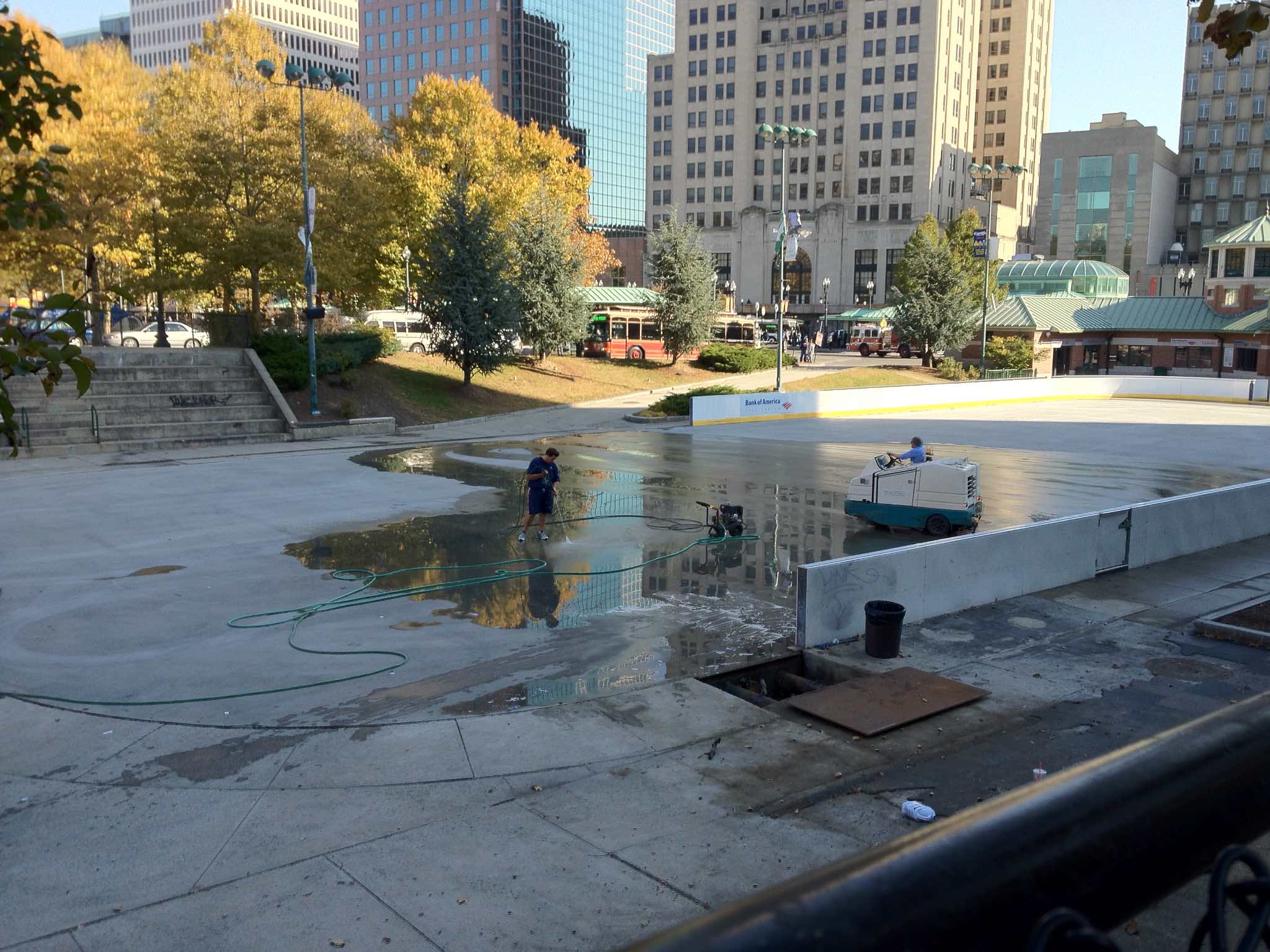
On a wonderfully warm November day, workers are preparing the surface of the Kennedy Plaza rink.
I wrote a gateway function at work a couple of weeks ago that aggregates a bunch of data, then returns a paged query. The user interface for this functionality shows a set of contexts, each of which can have an indefinite number of sub-records. Each of the contexts that match the search criteria needs to be numbered, because if there are many of them, we need to paginate the results, and give back contexts 1 -25, then 26 – 50, and so on.
My first pass at a solution involved a CTE (Common Table Expression), where you define a subtable and query that, and this was a great improvement over the initial straight query. Unfortunately, it wasn’t enough of an improvement… the next day I noticed that the query was taking about 14 seconds to run.
I ended up using a temporary table for the method. This was only the second time I’d used a temporary table, and the first time I used one to return results; the first time was used simply to mass insert data.
In the method, I create a unique name for the temporary table, then in the SQL, define the table. It’s important to note that when defining a locally scoped table you need to prefix the name with a pound sign, and since this is ColdFusion, you need to double up the pound sign.
So I created the table, and inserted the data into it from my base query. One of the nice side benefits of using a temporary table was that I was able to simply create a primary key with identity for the context number, which simplified things a bit. I then selected from the temporary table, joining to one of our standing tables to fill out the rest of the data. After getting the data, the query drops the temporary table.
This worked out great in SQL Studio; it was much faster than the CTE approach– 300ms as opposed to 14 seconds, so I got the go ahead to replace the existing query with the new version. I replaced the old SQL with the new, and — crash. I got that lovely grey and blue screen of death, stating that “GetData [the query name] was undefined. Whaaaat?!?!? It’s right there in front of me!
I did some Googling, and found the key. I added SET NOCOUNT ON before the rest of the SQL, and SET NOCOUNT OFF at the end, and ColdFusion was happy. In hindsight, it may be because either I was performing multiple operations in the one query, or possibly because the SELECT was not the last operation, because I had to drop the temporary table after I was finished with it.
I’ve been dealing a bit with the WCAG accessibility guidelines at work, and one of the concepts that keeps recurring is that various kinds of information about the page is supposed to “be programmatically determined”. But what does that mean, and why is it important?
The thing is, when you can look at at a web page, the human brain is very good at figuring out the relationships between the parts of the page based just on their visual presentation. See some bold faced type? Must be there for emphasis. Those bigger runs of text? Must be headings and subheadings. And tables make sense when you can run your eyes up and down the columns, and across the rows.
HTML was originally designed as a way to mark up text documents semantically for the scientific community. But as the web became more popular, more and more presentational elements were added, and the focus of of web development turned to how pages look. For example, I distinctly remember my then-current copy of the The Non-Designer’s Web Book recommending that you create headings by using the <font> tag to bump up the font size, and using a <br> tag to separate it from the text body, because browsers made headings too big and put too much white space around headings, and it couldn’t be adjusted.
That’s all great if you can see the page, but pretty useless if you can’t. And many people can’t, so they have to rely on software to read the pages to them. Making sure that information about your page can be “programmatically determined” just means using the features of HTML to embed information about the page in the markup so software can figure it out.
Let’s start with headings and subheadings. If you just use font sizing and a break tag to denote a heading, like we used to, it looks like just a part of the paragraph to a screen reader. On the other hand, if you use one of the heading elements, like an <h3>, the screen reader can recognize it, and indicate it to the listener.
Form controls are another problem. Typically, the labels for the controls are recognizable because visually they’re right next to the control. Not so easy for the screen reader — it doesn’t know which words are tied to which control, and if a table is used to lay out the form, the label might not even be adjacent to the control in the HTML source. This is solved by wrapping the label text in the <label> element, and using its “for” attribute to indicate which control it’s associated with. The software can now determine the relationships programmatically.
Another problem with forms is organization. Forms can get pretty big, and hard to comprehend. You can indicate relationships between form fields by using the <fieldset> and <legend> elements to group sections of the form; this also has the benefit of grouping elements visually. Assistive technology can now recognize the organization, because it’s in the structure of the page.
Emphasis can also be indicated structurally. <em> tags indicate emphasis, and are generally rendered in italic, while <strong> elements indicate strong emphasis and are generally rendered in bold. Screen readers can pick up on these cues, and add the proper inflection.
On the other hand, the <b> and <i> tags have no intrinsic meaning — they just indicate bold face and italic text. The recommendation is to use <em> and <strong> if you want to convey emphasis, and a span element with a style declaration for a presentational effect.
Here I differ a little from the recommendation; if my intent is strictly presentational, I’m willing to use <i> since my intent is just presentation. For example, <p>I <em>loved</em> visiting the USS <i>Constitution</i>.</p>, which would be rendered as:
I loved visiting the USS Constitution.
The difference is that “loved” is emphasized, whereas the italic on “Constitution” is just a typographic convention.
Finally, there are tables. Back in Ye Olde Netscape 4 days, we used to use make table headings by setting the color and background of the first row of cells, and maybe making the text bold. This is fine if you can scan up and down the rows, but sucks if the you’re listening to the table cell by cell. The right way is to use the <th> (table header) element to mark up headers. Even better is to use the scope attribute on the <th> element to indicate if it’s a header for a row or a column, and to use the <thead>, <tfoot> and <tbody> elements to indicate sections of the table. With this markup in place, software can then decipher the relationships between cells and communicate them to the user.
A last part of making sure that information about your document can be “programmatically determined” is to recognize semantic elements for what they are, and to not pollute your document for their presentational side effects. The biggest offender here is the <blockquote> element, abused far and wide because it has indented sides. Well, dummy, it’s intended to convey the fact that the enclosed text is a quotation, and if it isn’t, you’re saying something about the text that isn’t correct, and can confuse software that’s trying to figure out your content programmatically. If all you want to do is indent text, use styles to do so. Other elements that tend to get misused for their presentational effects are the list elements <ul>, <ol>, <dl> <dd><dt>.
Making information about your content “programmatically available” benefits more than screen readers. It makes your content more accessible to software generally — and that includes search engines as well.

This gallery contains 12 photos.
Yesterday, I did a pair of dives to the Chester Poling, which is the stern half of a coastal oil tanker that sank off of Gloucester Harbor in 1977. Paul Adler of East Coast Divers, who was one of the first divers … Continue reading
Camera car used shooting a car chase in Providence today.
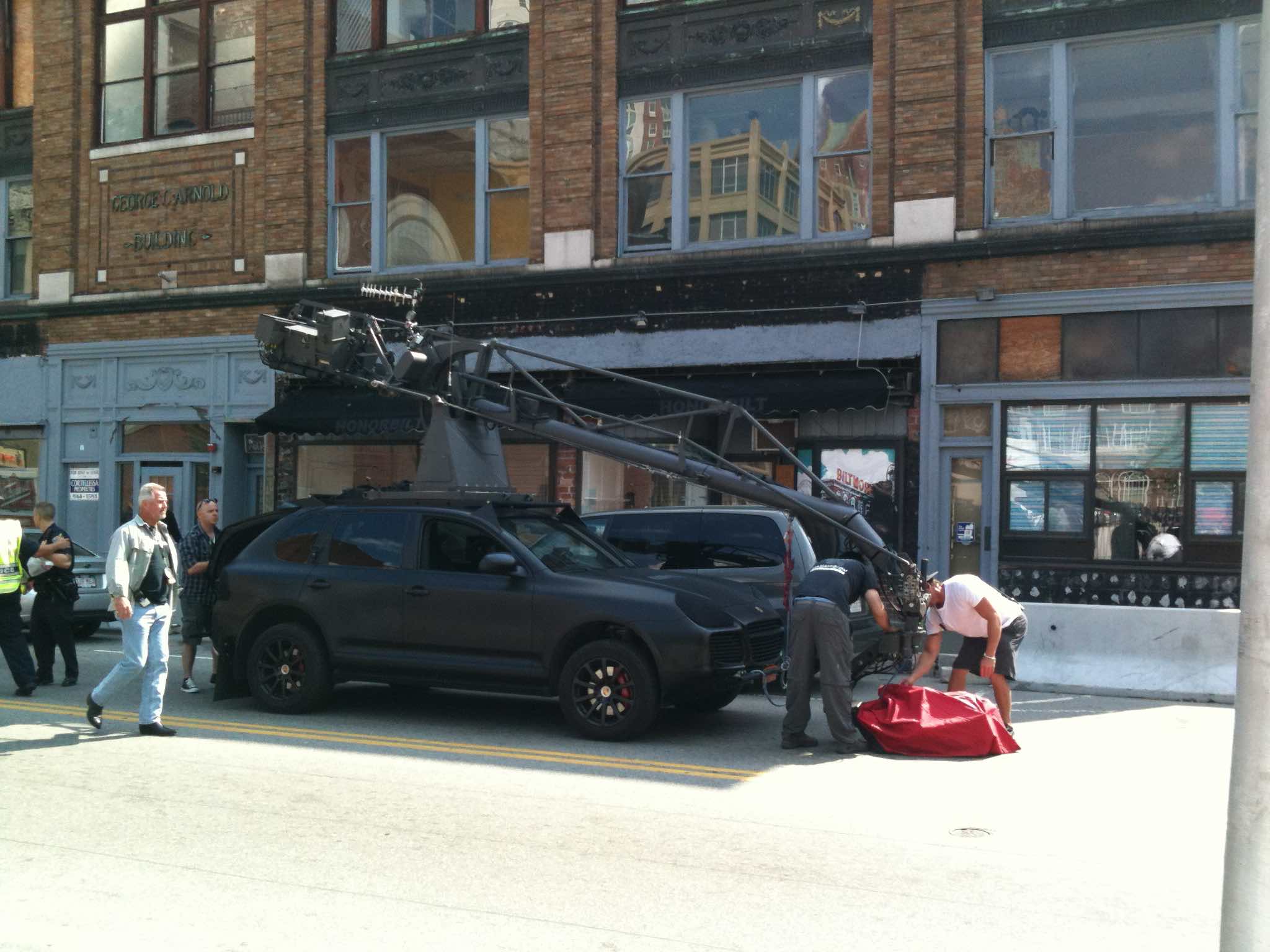
The red cloth is covering the camera. They’d placed an MBTA bus kiosk on the sidewalk to make it look like Boston. I didn’t have the heart to tell them they were shooting up the street towards the Rhode Island Housing sign.
A while back, I posted that I was having trouble with my iPhone connecting to the cellular network. It finally stopped connecting altogether earlier this week, and no amount of resetting helped. I went back over to the Dedham store, where Chris E tried all sorts of tests to rule out the software; it became clear that it was a hardware problem.
He also did a much better job of explaining my options than the original tech in the Providence store did. I could pay Apple $200 for a “replacement” iPhone 3GS — a brand new copy of the 32 GB phone I had, through the Genius Bar, or I could buy a new one. He pointed out that an 8 GB 3GS could be had for only $49, but that would start the contract clock running.
The thing about having Apple do a “replacement” of the phone–rather than just buying a new one–is that it doesn’t affect your contract status. The replacement still cost me $200, but I’m not on the hook for another two years at this point, and if a new one comes out in a month or so that I really want, I can get it for the subsidized price by going with a contract then. And, I assume, I now have a phone I can rely on, so I don’t have to be standing in line right when the new ones come out.
He also pointed out I could try to get a cheap temporary phone somewhere else and use the SIM card, until the new iPhones come out. I decided against that because it felt like it would take some running around to find one, and I’ve also become accustomed to having Internet access whenever I want.
That’s been borne out to me over the last couple of days. They didn’t have my model in store, so I’ve been without a phone for a couple of days. Drove me crazy.
I picked up the new phone tonight. Activating it at the store didn’t take long, and when I got home, I was able to restore my data from a backup of the old phone. All my apps and music and pictures copied over. Interestingly enough, passwords, didn’t — I had to re-enter all my mail box passwords, and re-authorize Twitterific. While I was in the settings app, I went through all the individual settings and tweaked a few of them. For some reason, I enjoy this kind of tinkering.
I’ve also noticed that the color temperature of the screen is noticeably warmer (at least for me) than the old iPhone. I’m also noticing that the viewing angle makes more of a difference than I remember for the old phone– if I tilt the screen a bit, the color is more like I remember. I wonder if that’s a result of a deliberate change on Apple’s part, or if the screens simple get bluer looking as they age.

This gallery contains 6 photos.
I did a combined dusk/night dive at Folly Cove Saturday night. It’s been something I’ve been wanting to do for a while, and this weekend seemed to be the perfect time, with the days getting shorter, but before the cold … Continue reading
I was in the yard this morning, trying to get ready for the hurricane. I’m not expecting heavy damage here, but I wanted to make sure there wasn’t anything loose that could get blown around. We have some tall dahlias in the garden this year, and I wanted to cut the one that was in full bloom, to get it before the rain and the wind did. Turned out the bumblebees were there first:


Bumblebee gathering pollen on a dahlia